
FlowDeck provides seamless integration with iOS simulators directly within Cursor, allowing you to manage and interact with simulators without switching to Xcode.Documentation Index
Fetch the complete documentation index at: https://flowdeck.studio/docs/llms.txt
Use this file to discover all available pages before exploring further.
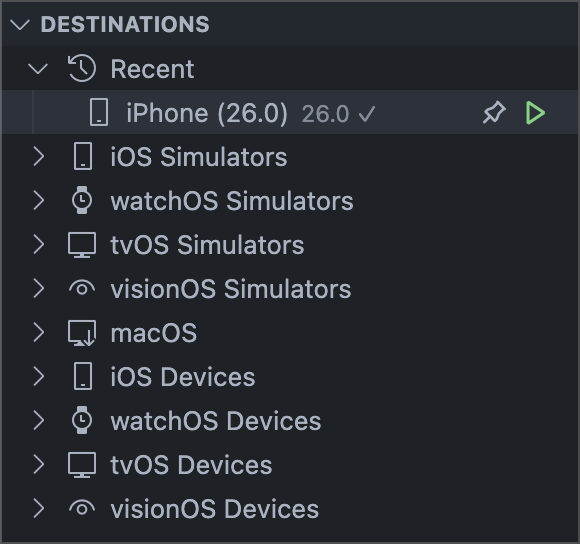
Simulator Selection
Select a simulator as your build destination:- Use the
FlowDeck: Select Destinationcommand - Choose your simulator from the list
- Build and run your app on the selected simulator
- Select Simulator - Set as build destination
- Start Simulator - Boot the simulator
- Stop Simulator - Shut down the simulator
Available Commands
FlowDeck provides the following simulator commands via the Command Palette:| Command | Description |
|---|---|
| Start Simulator | Boot a specific simulator |
| Stop Simulator | Shut down a running simulator |
| Open Simulator | Launch the Simulator application |
| Remove Simulator Cache | Clear simulator caches |
Managing Simulators
FlowDeck does not currently support adding or removing simulator runtimes. This feature is coming soon.