
Documentation Index
Fetch the complete documentation index at: https://flowdeck.studio/docs/llms.txt
Use this file to discover all available pages before exploring further.
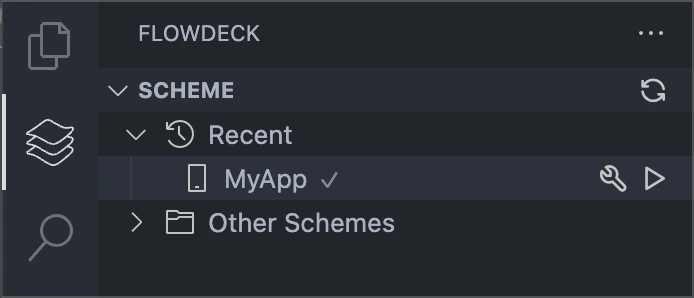
Building from the Scheme Panel
Open the FlowDeck panel → Schemes and use the scheme actions:- Build - Compile your app
- Build and Run - Compile and launch your app
Building from Command Palette
Build commands are also available via the Command Palette:⌘⇧P→FlowDeck: Build⌘⇧P→FlowDeck: Build and Run
Keyboard Shortcuts
FlowDeck provides default keyboard shortcuts for common build operations:- Build:
⌘B - Build and Run:
⌘R - Clean Build:
⌘⇧K
Build Configurations
Select different build configurations (Debug/Release) using:- Click the configuration selector in the status bar
- Use
FlowDeck: Select Configurationcommand - Choose Debug or Release mode