 Add to Cursor
 Add to VS Code
⌘B Build ⌘R Run ⌘T Test
Build & Run
One-click builds. Launch on simulator or device. See errors inline in your editor.
Run builds, tests, simulators, and devices from your favorite editor. FlowDeck redefines your Apple Dev workflow.
Works with any VS Code-based editor: Just search in the Marketplace
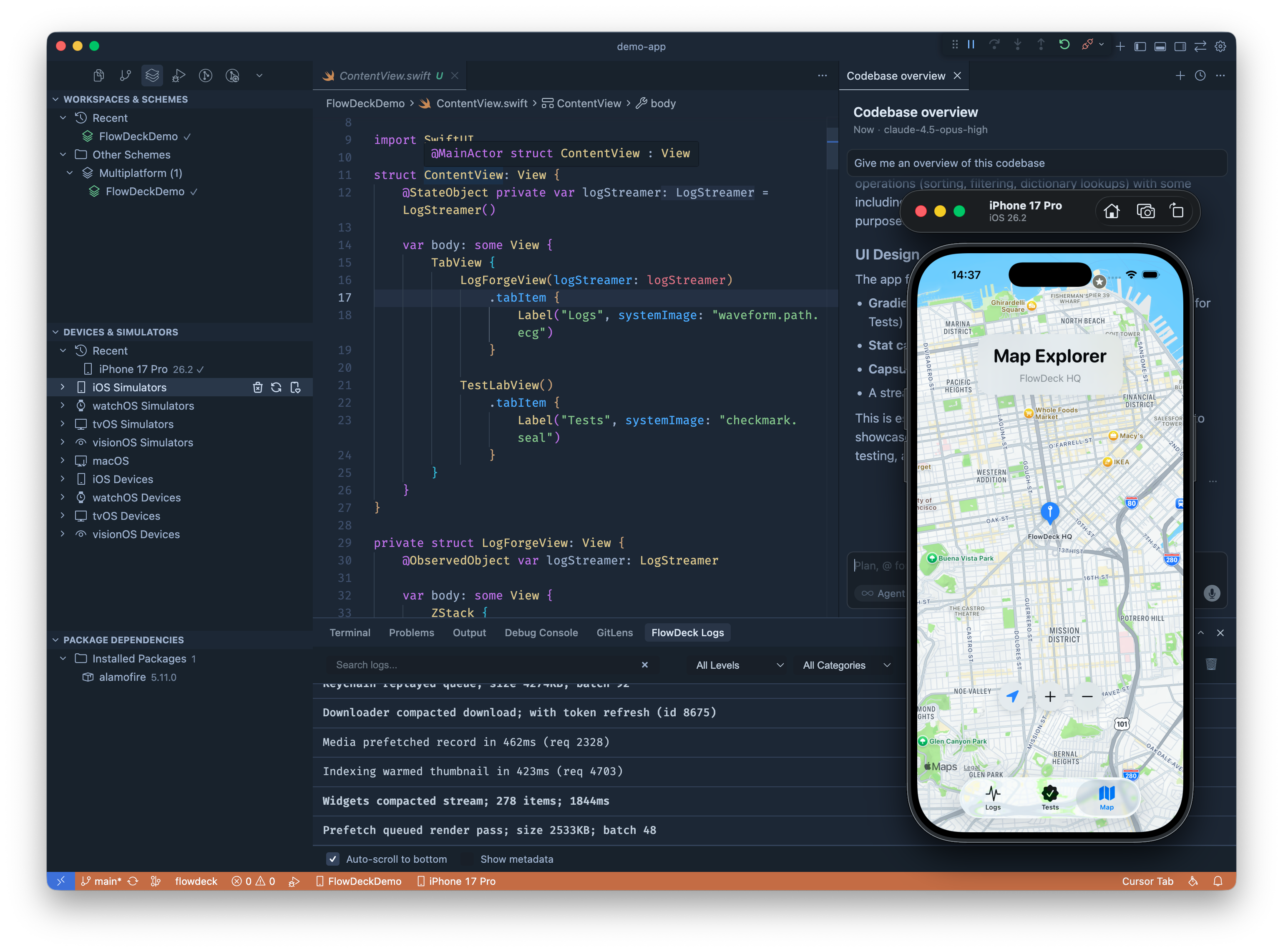
iOS development without leaving your editor.
⌘B Build ⌘R Run ⌘T Test
One-click builds. Launch on simulator or device. See errors inline in your editor.
Boot · Shutdown · Screenshot
Manage simulators from the sidebar.
● Breakpoint at line 42
Variables · Call Stack · Watch
Set breakpoints, inspect variables, step through code. Full LLDB integration in your editor.
[net] GET /api → 200
[app] loaded user
Real-time console output. Filter, search.
✓ 24 passed · ✗ 1 failed
Run unit tests, UI tests. See results inline.
Schemes · Targets · Configs
Auto-detects your Xcode project. Works with SPM.
⚠ Line 23: unused variable
Build errors and warnings right where you code.
Free. That's it.
Just install and start building
Ready to go deeper?
The extension gets you started. The CLI makes you unstoppable.
Share workflows, get help, shape what comes next.
Get help from the developer directly. Share feedback and feature ideas.